

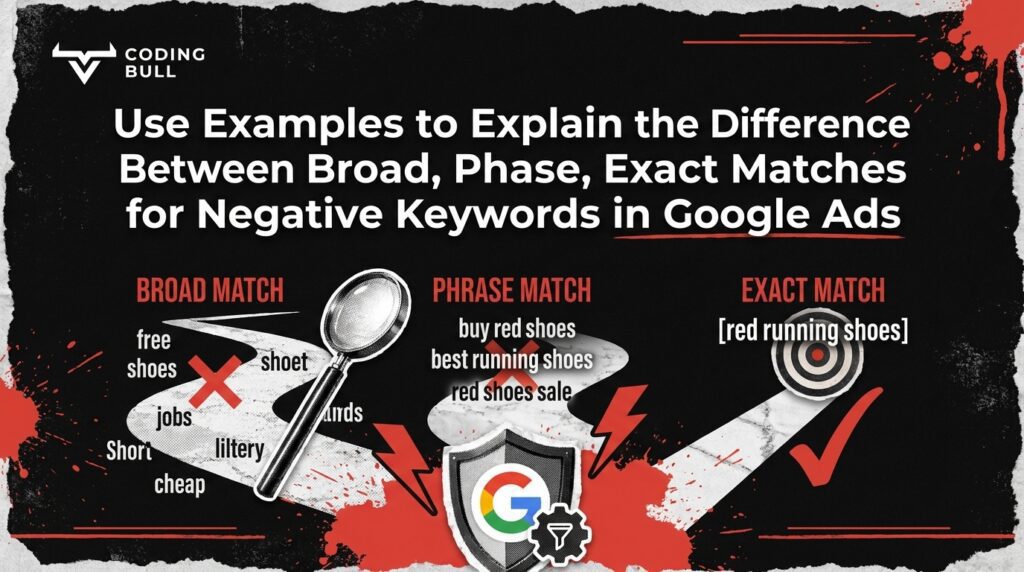
When running search campaigns, preventing your ads from appearing for irrelevant queries is just as critical as targeting the right ones. Many campaign managers ask us to use examples to explain the difference between broad, phase, exact matches for Negative Keywords in Google Ads, because mastering this concept is the fastest way to eliminate wasted ad spend. Unlike standard targeting, negative match types are highly literal and require a strategic approach to effectively filter out unqualified traffic.
At Coding Bull, we have spent 11 years in business, since 2015, refining digital presence into predictable, scalable revenue for service-based businesses. Having generated over 230,000 leads for our clients and managed substantial marketing budgets, we know firsthand that relying solely on positive targeting leaves campaigns vulnerable. Understanding how to deploy these negative match types ensures your ads only reach users with genuine intent.
What Are Negative Keywords in Google Ads?
Negative keywords are specific words or phrases you add to your campaigns to prevent your ads from being triggered by certain search queries. When a user searches for a term that includes your negative keyword, the search engine halts the ad auction for your campaign, ensuring you do not pay for an impression or click that has no chance of converting.
How Negative Keyword Match Types Differ from Regular Keyword Match Types
The most important rule to remember is that negative match types function fundamentally differently than regular keyword match types. Regular targeting relies heavily on close variants, synonyms, and intent-based matching to capture a wide net of users. Negative keywords do not.
If you add a negative keyword, the platform will strictly look for those exact words. It will not automatically block synonyms, plural versions, misspellings, or close variants. For instance, blocking the singular version of a word does not block the plural version. This literal interpretation means you must be incredibly thorough when building your negative lists, explicitly adding every variation of the term you wish to exclude.

Negative Broad Match: Definition and Mechanics
To fully grasp how these filters operate, we must use examples to explain the difference between broad, phase, exact matches for Negative Keywords in Google Ads. We begin with negative broad match, which is the default type assigned when you add a negative term to your campaign.
A negative broad match blocks your ad if the search query contains all the words in your negative keyword, regardless of the order in which those words appear. If even one word from your negative phrase is missing from the user’s search, your ad may still show. It is an effective way to block a specific combination of words while allowing variations that only contain part of the phrase.
Broad Match Examples in the Home Service Industry
Consider a roofing company that only provides commercial and residential roof replacements, but does not offer repair services. If this company uses the negative broad match keyword roof repair, they will successfully block queries containing both of those words.
- Blocked query: “emergency roof repair” (contains both “roof” and “repair”).
- Blocked query: “repair my leaking roof” (contains both words, even in a different order).
- Allowed query: “roof replacement” (does not contain “repair”).
- Allowed query: “repair damaged shingles” (contains “repair” but not “roof”).
By applying this to home service campaigns, we ensure that companies like Vantage Roofing Ltd. or Hilltop Plumbing & Heating Ltd. do not waste their budget on users looking for minor fixes when their sales goals are focused entirely on comprehensive installations.

Negative Phrase Match: Definition and Mechanics
Negative phrase match offers a more targeted level of restriction. When you apply this match type, your ad will be blocked only if the user’s search query contains the exact words in the exact order you specified. If the user includes additional words before or after the phrase, the ad is still blocked. However, if they insert a word in the middle of your phrase or change the word order, your ad will remain eligible to show.
Phrase Match Examples in the Health Industry
In the health and wellness sector, precision is critical. Imagine an optometry clinic that offers premium eye exams and designer frames but wants to avoid traffic from people looking for complimentary services. They might add the negative phrase match keyword “free eye exam” (enclosed in quotation marks).
- Blocked query: “where to get a free eye exam” (contains the exact phrase).
- Blocked query: “free eye exam near me” (contains the exact phrase).
- Allowed query: “free comprehensive eye exam” (a word is inserted in the middle, breaking the phrase).
- Allowed query: “eye exam for free” (the words are in a different order).
During our work with health industry clients like Image Optometry and Smile Dental Implant Center, we leverage negative phrase matches to filter out low-intent traffic while keeping the door open for highly qualified patients who use slightly different search structures.

Negative Exact Match: Definition and Mechanics
Negative exact match is the most restrictive and precise filter available. With this match type, your ad is blocked only if the user searches for the exact keyword phrase with no additional words before, after, or between the terms. If the search query contains your exact keyword but includes even one extra word, your ad will still be triggered.
Exact Match Examples in the Insurance Industry
Insurance agencies often deal with highly competitive search terms. Suppose an insurance brokerage offers comprehensive business policies but wants to avoid showing ads to users who are simply searching for the definition of the term without any intent to buy. If they use the negative exact match keyword [business insurance] (enclosed in brackets), the blocking behaves as follows:
- Blocked query: “business insurance” (matches the exact phrase with no extra words).
- Allowed query: “what is business insurance” (contains extra words).
- Allowed query: “business insurance plans” (contains extra words).
- Allowed query: “commercial business insurance” (contains extra words).
For organizations like HUB International or Insurline, using negative exact match allows them to strategically eliminate single, highly specific queries that historically drain budgets, without restricting broader searches that include valuable modifiers.
Side-by-Side Comparison: Broad vs. Phrase vs. Exact Negative Matches
Use Examples to Explain the Difference Between Broad, Phase, Exact Matches for Negative Keywords in Google Ads
To summarize, the core differences lie in how strictly the search engine interprets word presence and order. The distinction becomes a matter of sequence and inclusion.
- Broad Match: Blocks queries containing all the words, in any order. Best for filtering out a general concept.
- Phrase Match: Blocks queries containing the exact words in the exact order. Best for blocking specific phrases while allowing variations.
- Exact Match: Blocks queries matching the exact words in the exact order, with no extra words. Best for eliminating specific, low-intent terms without hurting related long-tail searches.
Remember, across all three types, you must manually add plurals, misspellings, and close variants. The platform will not assume you want to block “repairs” just because you blocked “repair.”

Applying Negative Keyword Match Types to Local Campaigns
When managing regional campaigns, negative keywords are essential for protecting your local lead generation rate. At Coding Bull, our data-driven strategies have historically achieved a 15.68% lead generation rate for our websites, far exceeding the industry average of 5%. A significant part of this success comes from rigorous search term auditing.
In regional campaigns, you often encounter traffic from users searching for services in neighboring areas outside your service radius. By proactively adding competing brand names and out-of-territory identifiers as negative broad or phrase matches, you can ensure your budget is spent strictly on users within your target radius. We approach every campaign by thinking like a business owner: if a click cannot reasonably turn into a closed sale, we implement the necessary filters to block it.
Conclusion: Enhancing Ad Relevance and Performance
Mastering negative match types is not a one-time task; it requires constant improvements and ongoing search term analysis. By understanding how broad, phrase, and exact negative matches operate independently from standard keywords, you can dramatically improve your ad relevance and overall return on ad spend.
Our team, led by founder Justin Chan, has completed 326 projects and produced over $115,000,000 in revenue for our clients by treating account structure with deep analytical rigor. From redesigning websites to maximize conversions to running highly disciplined search campaigns, we take accountability and responsibility for your growth. We provide forward-looking strategies so you stay ahead of the competition. If you are ready to stop paying for irrelevant clicks and start driving predictable, scalable revenue, our team is super communicative and ready to audit your current search strategy.